
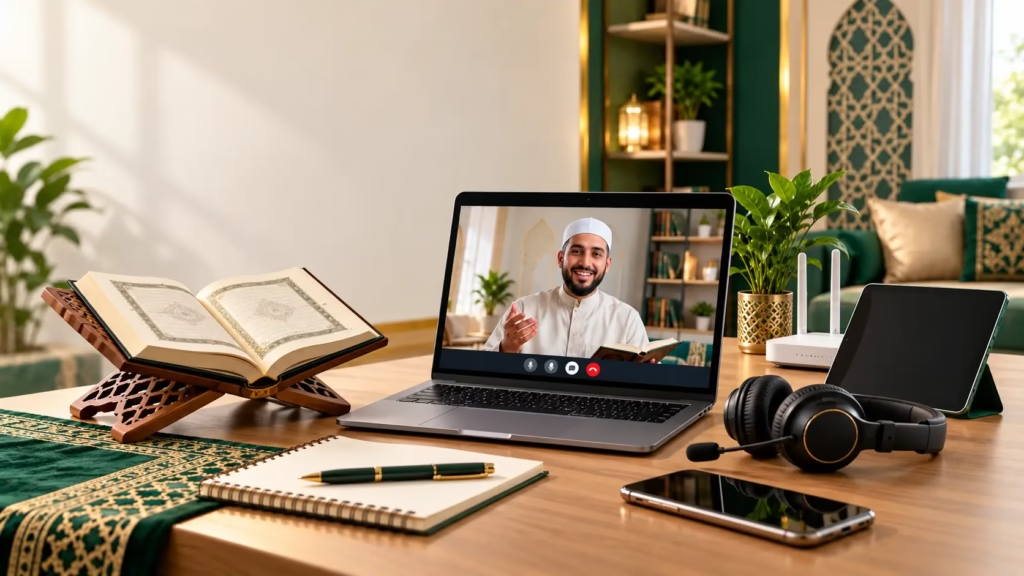
Online Quran classes have made learning the Holy Quran more convenient and accessible for children and adults worldwide. Whether you live in Pakistan, the USA, UK, Canada, Australia, or the UAE, you can learn Quran online from qualified teachers without leaving your home.
But before starting, many students and parents ask an important question: What equipment do you need for online Quran classes?
The answer is simple. You need a smartphone, tablet, laptop, or desktop computer, a stable internet connection, a working microphone, speakers or headphones, and an online meeting application such as Zoom or Microsoft Teams. You will also need a Quran or Noorani Qaida, depending on your course.
At Online Quran Pakistan, we make Quran learning simple through live, one-on-one lessons with experienced teachers. This guide explains the essential equipment and how to prepare for your first online Quran class.
1. A Suitable Device for Online Quran Classes
The first requirement for learning Quran online is a device that supports video conferencing.
You can attend classes using several devices.
Laptop or Desktop Computer
A laptop or desktop is an excellent choice for online Quran lessons because it provides a larger screen for reading Arabic text and following your teacher’s instructions.
It is particularly helpful for students learning Tajweed, Quran translation, or memorization.
Smartphone
Can you take online Quran classes on a mobile phone? Absolutely!
A smartphone with a microphone, speakers, and internet connection is enough to attend live Quran lessons.
Both Android phones and iPhones support popular video conferencing applications. However, a phone stand is recommended for comfortable learning.
Tablet or iPad
Tablets are ideal for children because their larger screens make Arabic letters easier to recognize.
They are especially useful for beginners studying Noorani Qaida and Quran reading.
Our recommendation: Use a laptop or tablet when available, but there is no need to purchase an expensive device. A suitable smartphone works well for many students.
2. A Stable Internet Connection
A reliable internet connection is one of the most important online Quran class requirements.
During Quran lessons, students must clearly hear their teachers, especially when learning Arabic pronunciation and Tajweed rules.
An unstable connection can interrupt recitation and make pronunciation correction difficult.
Recommended Internet Speed
For comfortable one-to-one video lessons, a stable internet connection with approximately 3–5 Mbps upload and download speed is a practical recommendation, although some sessions may work with less.
You can use:
- Home Wi-Fi or fiber internet.
- Mobile data such as 4G or 5G.
- A reliable mobile hotspot.
To prevent interruptions, avoid downloading large files or streaming videos during class.
Students attending online Quran classes from Pakistan, the UK, USA, Canada, or Australia can use their existing internet services.
3. Headphones and Microphone
Clear communication is essential for effective Quran learning.
Your Quran teacher needs to hear your recitation accurately to correct pronunciation mistakes.
A microphone helps the teacher identify errors in Arabic letter sounds, while speakers or headphones allow you to listen carefully.
Are Headphones Necessary?
Headphones are not compulsory because most laptops, tablets, and smartphones have built-in microphones and speakers.
However, a headset with a microphone can improve sound quality and reduce background noise.
Headphones are particularly helpful for Tajweed classes, where students learn:
- Makharij (correct articulation of Arabic letters).
- Madd (elongation rules).
- Ghunnah (nasalization).
- Qalqalah (echoing sounds).
For children studying in busy households, comfortable headphones can also improve concentration.
4. Online Quran Class Applications
You do not need complicated software to start learning Quran online.
At Online Quran Pakistan, live Quran lessons are conducted through reliable online meeting platforms, including Zoom and Microsoft Teams.
Zoom for Online Quran Classes
Zoom is a popular application for live online Quran teaching.
It provides useful features such as:
- Live audio and video communication.
- Screen sharing for Quran reading.
- Interactive one-on-one lessons.
- Easy access through meeting links.
Students can join classes using their smartphones, tablets, or computers.
To join your Zoom Quran class, simply open the meeting link provided by the academy, allow microphone access, and join at your scheduled time.
Microsoft Teams
Microsoft Teams is another convenient platform for online Quran learning.
It supports live meetings, audio communication, and screen sharing, allowing teachers to explain Quran lessons effectively.
The academy provides the necessary class joining instructions.
Important: Students generally do not need to purchase special Quran learning software. The assigned meeting application and appropriate learning materials are sufficient.
5. Quran or Noorani Qaida Learning Materials
Along with technical equipment, students need suitable Quran learning materials.
The required material depends on the selected course.
For example:
| Quran Course | Learning Materials |
|---|---|
| Noorani Qaida | Noorani Qaida book or digital pages |
| Quran Nazra | Printed Quran or digital Mushaf |
| Tajweed Course | Quran and Tajweed exercises |
| Hifz-ul-Quran | Mushaf for memorization and revision |
| Quran Translation | Quran with translation and notebook |
| Islamic Studies | Teacher-provided learning materials |
Students can use printed books or digital Quran pages according to their teacher’s guidance.
For beginners, a Noorani Qaida book is particularly useful because it helps develop a strong foundation in Arabic letter recognition and pronunciation.
6. A Quiet and Comfortable Learning Environment
A peaceful study environment can make online Quran classes more productive.
Choose a quiet room where you can concentrate without unnecessary interruptions.
Your learning space should have:
- Comfortable seating and proper lighting.
- A stable desk or device stand.
- Minimal background noise.
- Easy access to Quran learning materials.
For children, parents should help set up the device and ensure they are ready before the lesson begins.
A dedicated learning space encourages consistency and helps students focus on Quran recitation.
7. Equipment for Kids vs. Adults
The basic equipment requirements are almost identical for children and adults.
However, younger children may need additional assistance.
Online Quran Classes for Kids
Children benefit from tablets or laptops with larger screens. Parents should help them join meetings, adjust microphones, and keep their books ready.
A comfortable headset may also reduce distractions.
Online Quran Classes for Adults
Adults can attend Quran lessons using laptops, tablets, or smartphones according to their convenience.
Working professionals and busy parents can arrange lessons around their daily routines.
At Online Quran Pakistan, flexible class schedules help learners from different countries and time zones study Quran from home.
8. Checklist Before Your First Online Quran Class
Before joining your first Quran lesson, follow this simple checklist:
- Charge your laptop, tablet, or smartphone.
- Check your internet connection.
- Install or open the assigned meeting application.
- Test your microphone and speakers.
- Keep your Quran or Noorani Qaida ready.
- Choose a quiet learning space.
- Open your class link a few minutes early.
These preparations help prevent technical interruptions and allow you to focus on learning.
9. Frequently Asked Questions
Q1: Can I learn Quran online without a laptop?
Yes. You can attend online Quran classes using a smartphone or tablet with a reliable internet connection and working microphone.
Q2: What internet speed is required for online Quran classes?
A stable connection of approximately 3–5 Mbps upload and download speed is a comfortable target for many individual video lessons. Actual requirements depend on the meeting platform and connection quality.
Q3: Do I need a webcam for online Quran learning?
A webcam is useful for face-to-face interaction, but whether video is required depends on your teacher’s instructions. Clear audio is especially important for Quran recitation.
Q4: Which app is best for online Quran classes?
Zoom and Microsoft Teams are both suitable for live Quran lessons. Online Quran Pakistan uses these platforms to connect students with their teachers.
Q5: Can children attend Quran classes using a mobile phone?
Yes. Children can learn Quran using a smartphone, although a tablet or laptop may provide a more comfortable reading experience.
Q6: Do I need expensive equipment to start Quran classes?
No. Most students can begin using equipment they already own. A suitable device, stable internet, and clear audio are the main requirement
10. Start Learning Quran Online with Online Quran Pakistan
Starting your Quran learning journey does not require expensive equipment or advanced technical skills.
With a suitable device, internet connection, microphone, and Quran learning materials, you are ready to attend live online lessons.
Online Quran Pakistan offers personalized Quran classes for children, adults, and beginners worldwide. Our qualified male and female teachers provide one-on-one guidance in Noorani Qaida, Quran Nazra, Tajweed, Hifz-ul-Quran, and Islamic Studies.
Whether you live in the USA, UK, Canada, Australia, UAE, or Pakistan, you can learn the Holy Quran from the comfort of your home.
Ready to begin?
Visit Online Quran Pakistan and register for a free trial Quran class today.
May Allah bless your Quran learning journey with beneficial knowledge, Noor, and Barakah. Ameen.